Setting up a phone as a camera with vdo.ninja #
We use VDO Ninja to add phones as camera sources. To add a phone as a camera source do the following.
Step 1 - On the phone visit the VDO Ninja site #
Open https://vdo.ninja on your phone, we recommend (use Chrome or Brave browser).
IMPORTANT! For Samsung phones, DO NOT USE the built-in samsung internet browser. Install Chrome or Brave and use that instead!
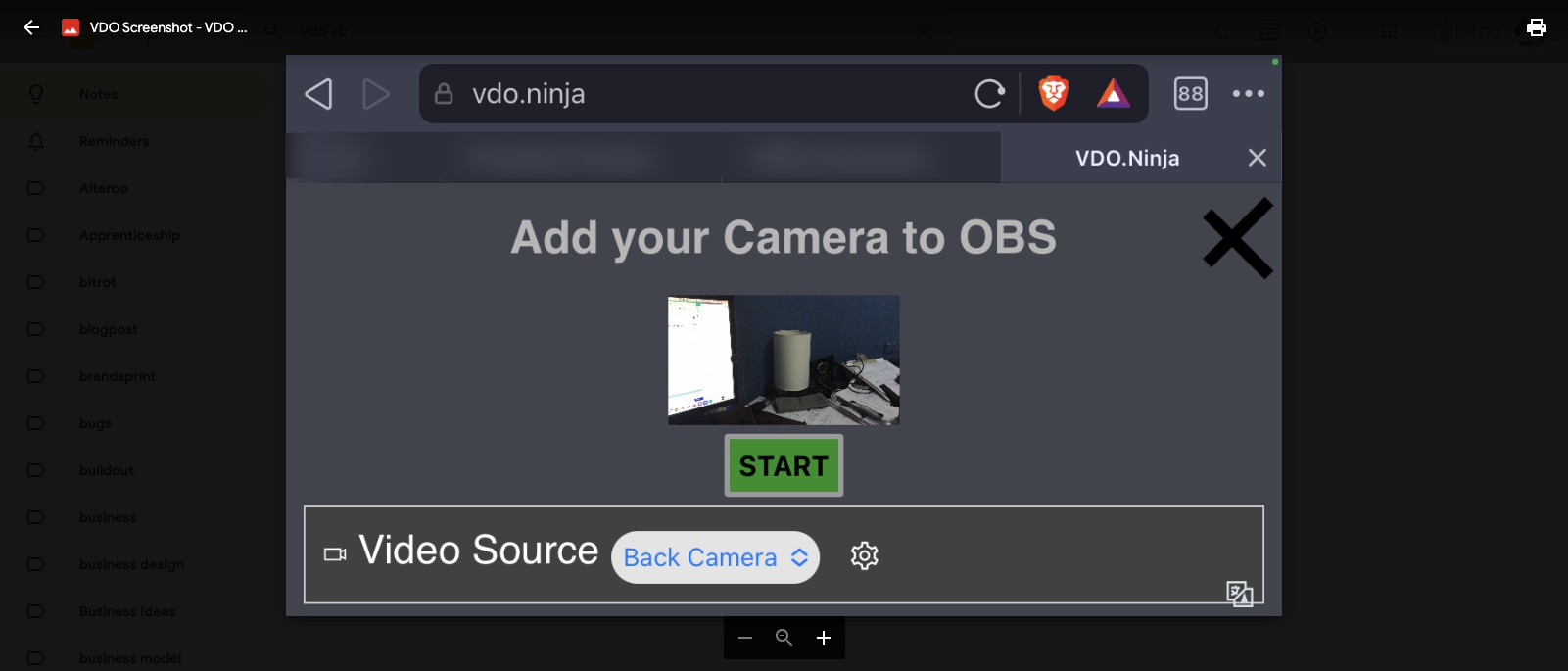
- Click “Add your camera to OBS”
- Select your “Back Camera” as the video source
- Set Audio Source to “No Audio”
- Set a simple 4 digit numeric password (e.g. 1234)
- At the top of the screen click “START”
Step 2 - Copy and Share the view URL #
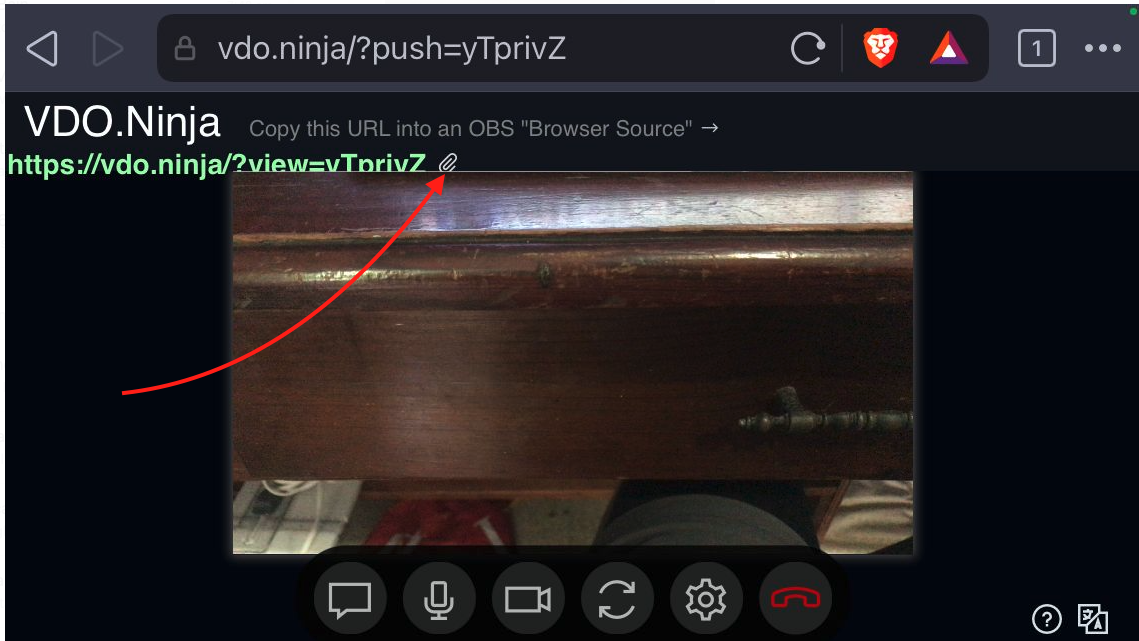
- Copy the view URL
- Share the view URL with the team
Heres a quick video of what it looks like to share the view URL
Next.. Add the camera view URL to OBS.