Adding Songs and Scripture to OpenSong Sets #
Before a service, we prepare a set which includes the songs and scripture that will be used during that service.
Adding a Song #
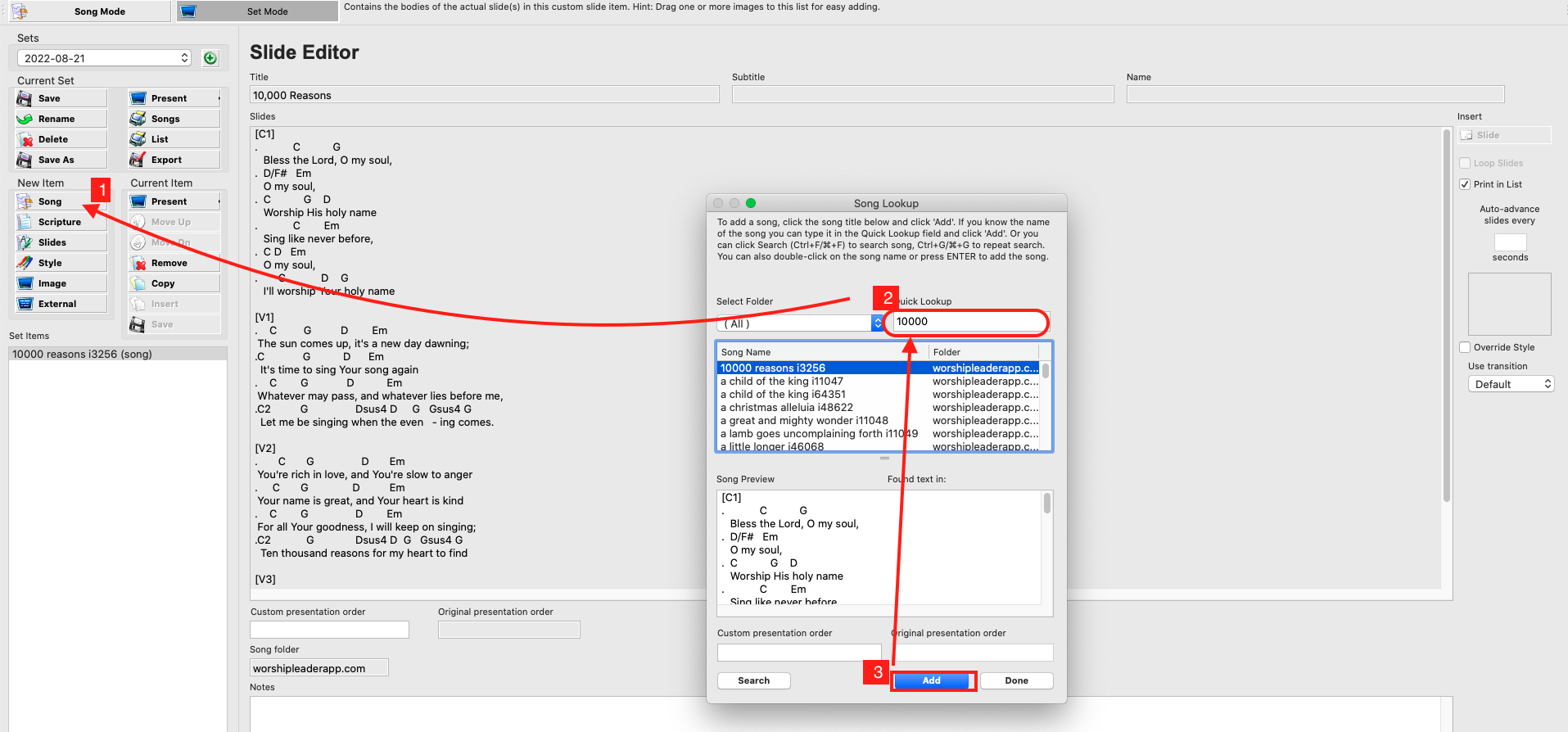
- While in “Set Mode”, under New Item click “Song”
- Use “Quick Lookup” to find the song
- Select the Song and click “Add”
Adding Scripture #
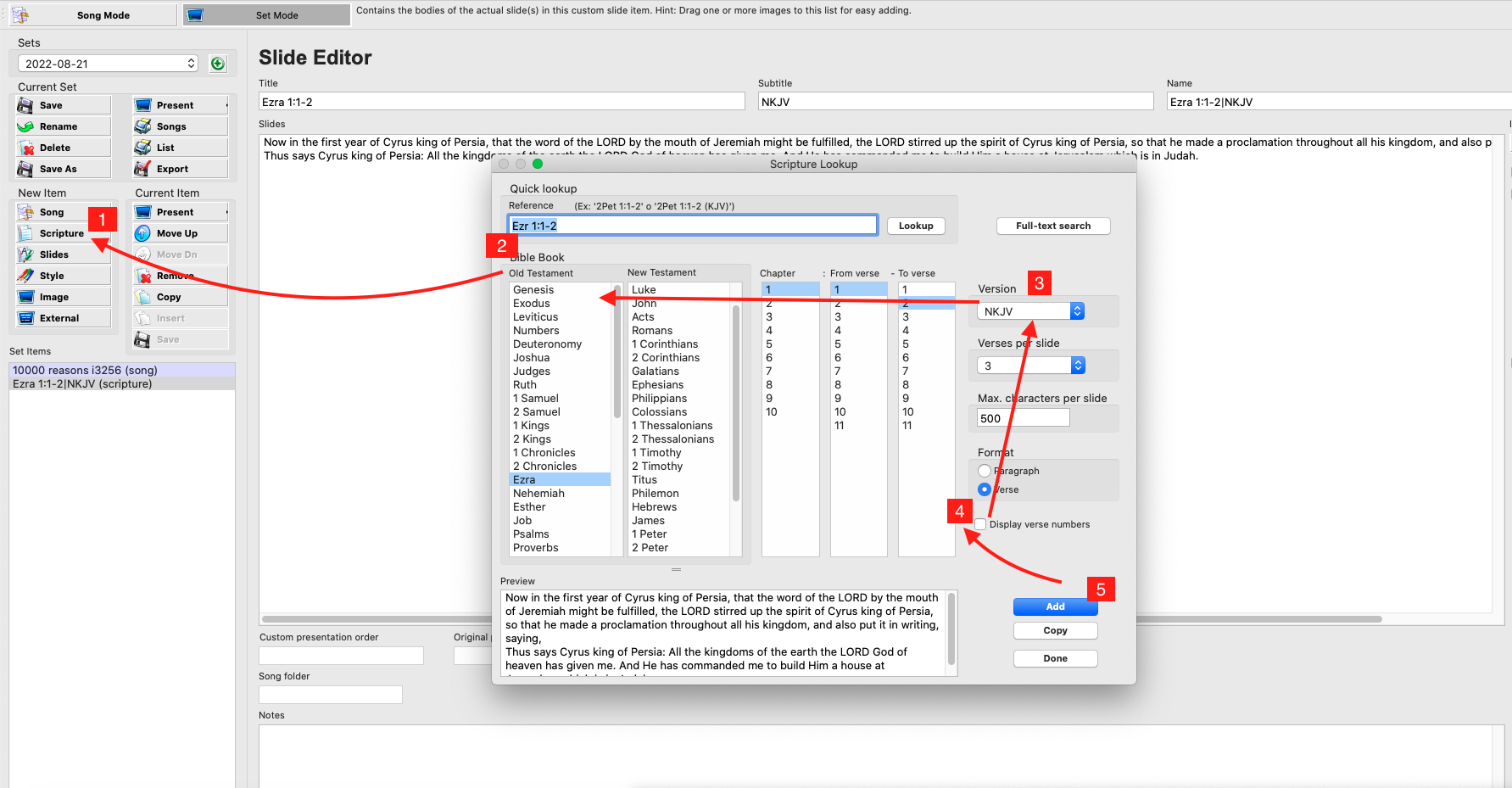
- While in “Set Mode”, under New Item click “Scripture”
- Use “Quick Lookup” or point and click to to find the book, chapter and verses
- Select the version
- Ensure “Display verse numbers” is selected
- click “Add”