Managing Slides and Announcements #
The slides and announcements are based on the bulletin which is generally circulated a few days before the service.
Screens #
The slides are projected to the main screen during the service. The slide deck includes:
Title screens #
Welcome, Breaking of Bread, Giving, Sermon Title
Announcements #
These mirror the bulletin and include Birthdays, Anniversaries, Prayer Diary, Pulpit Ministry, Weekly Schedule, Bits and Pieces
Other Slides #
There are also slides for Welcome to Fellowship, Family Group Locations and Leaders, Mission and Vision
Preparing the Slides #
The slides are informed by the content of the bulletin.
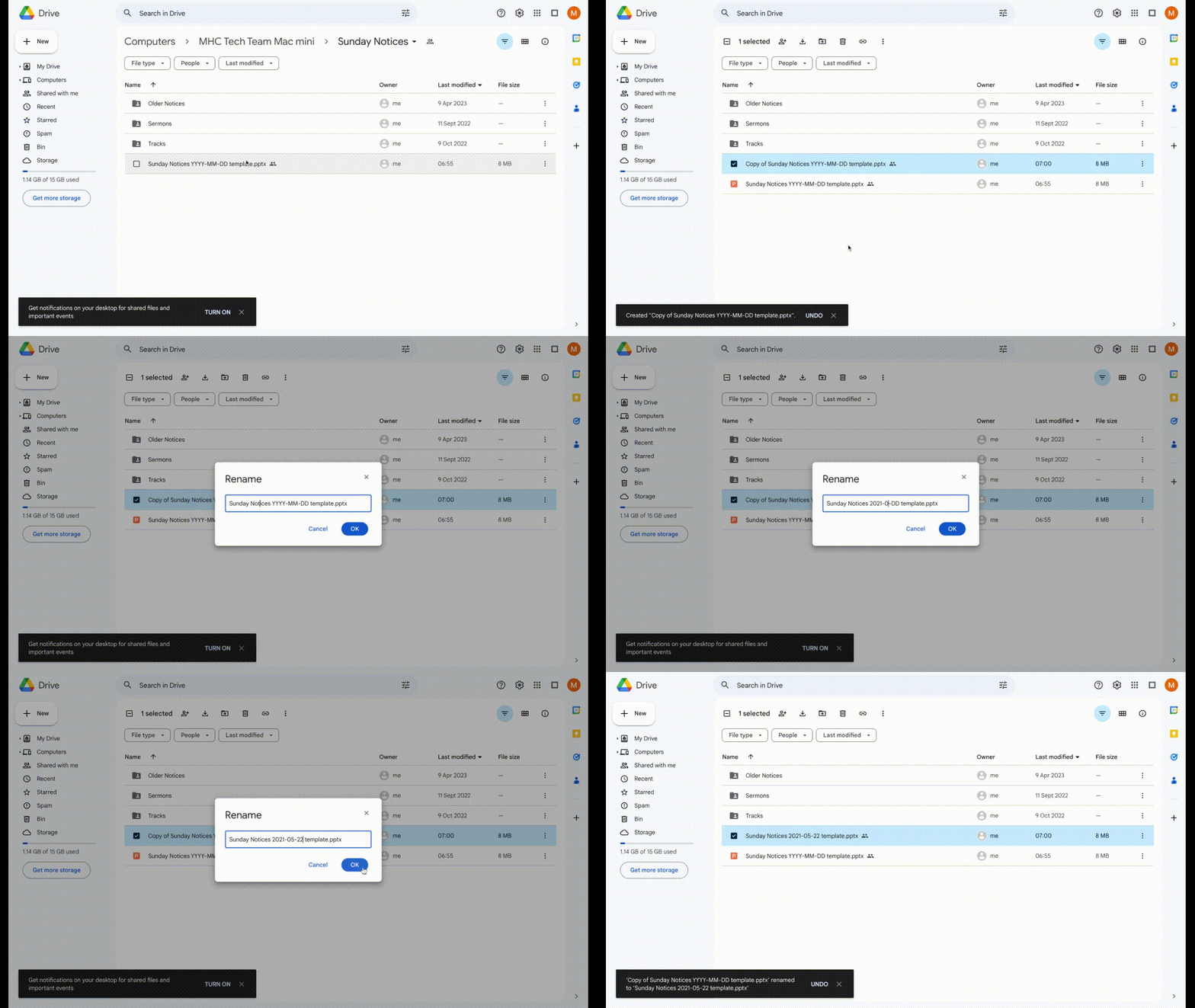
Step 1 - Copy and rename the template
As the tech@monachapel.org user, visit Google Drive and browse to Computers > MHC Tech Team Mac Mini > Sunday Notices
Copy the template and name it using YYYY-MM-DD format (for example Sunday Notices 2024-12-02 or Sunday Notices 2025-02-23)
Step 2 - Update the Title Screens
-
Welcome
Update the chairman, speaker and the date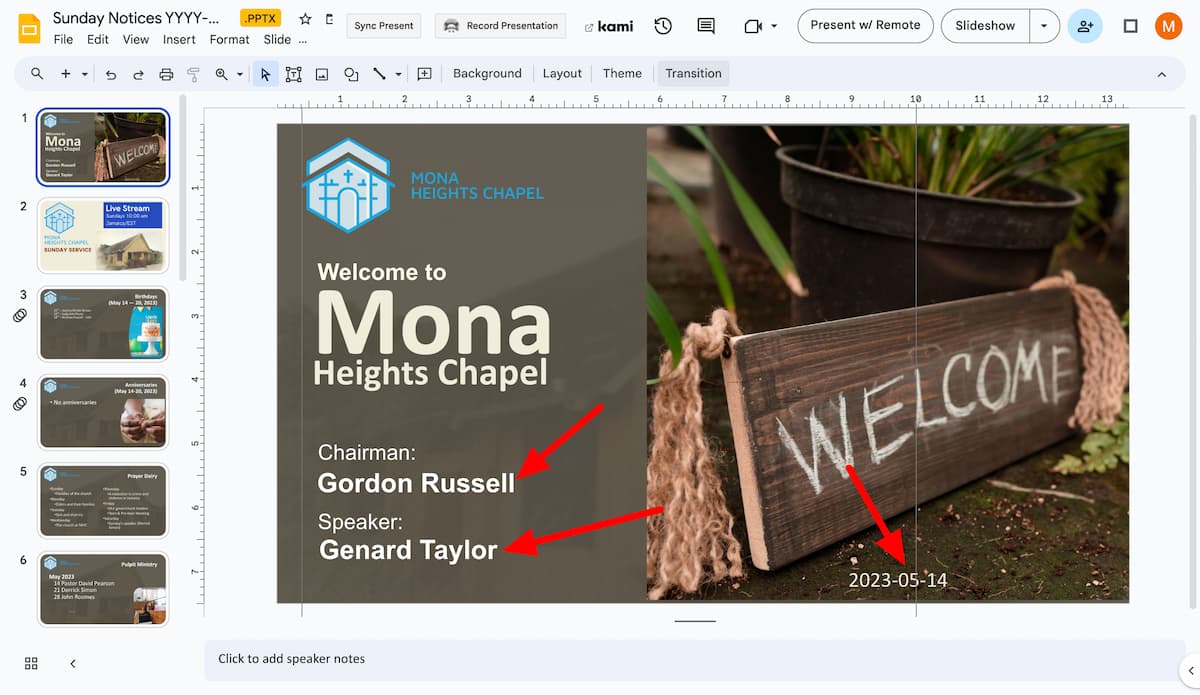
-
Sermon Title
Update the date, sermon title and speaker name
Step 3 - Update the Announcements Notices
Using the content of the bulletin update the following:
- Birthdays
- Anniversaries
- Prayer Diary
- Pulpit Ministry (the schedule of the speakers for the month)
- Bits and Pieces (if necessary, create more than one Bits and Pieces slide)