OpenSong Directory Structure #
Location #
The following describes the setup of the main church desktop.
By default, OpenSong stores sets, songs and scripture under `Documents/OpenSong` (you can use the Finder to locate the folder).
Additional Directory Structure for Songs #
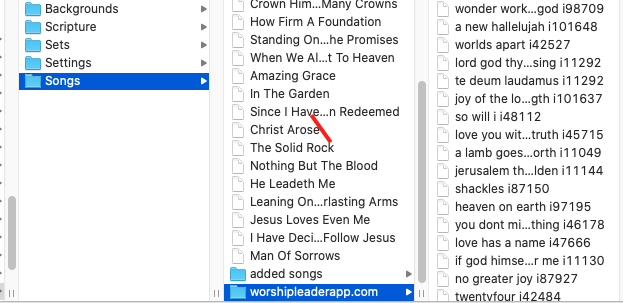
Under the Documents/OpenSong/Songs directory, we may have directories for special collections of songs `added songs` and `worshipleaderapp.com`.
The added songs directory #
The folder named “added songs” is intended to keep songs that we added ourselves. This is strictly for adding a collection of our specific songs. We are not strict about this.
The worshipleaderapp.com directory #
The folder named “worshipleaderapp.com” holds a database of songs (english only) downloaded from the WorshipLeaderApp website. At the time of writing, it included over 2710 songs.
Recommended way of working with new songs: #
- If you had to do an “add-hoc” adding of a song during a service, it will automatically go to
Documents/OpenSong/Songsthat is fine. - If you are adding a song file, the recommended practice is that you add it to
Documents/OpenSong/Songs/added songs - If it is a big collection of songs, create a new folder under
Documents/OpenSong/Songsand add the collection of songs there.
Downloading the Songs #
Ask the Tech Team for access to our Google Drive folder with MHC OpenSong Resources. This will give you access to the folder structure, songs and scripture we use.