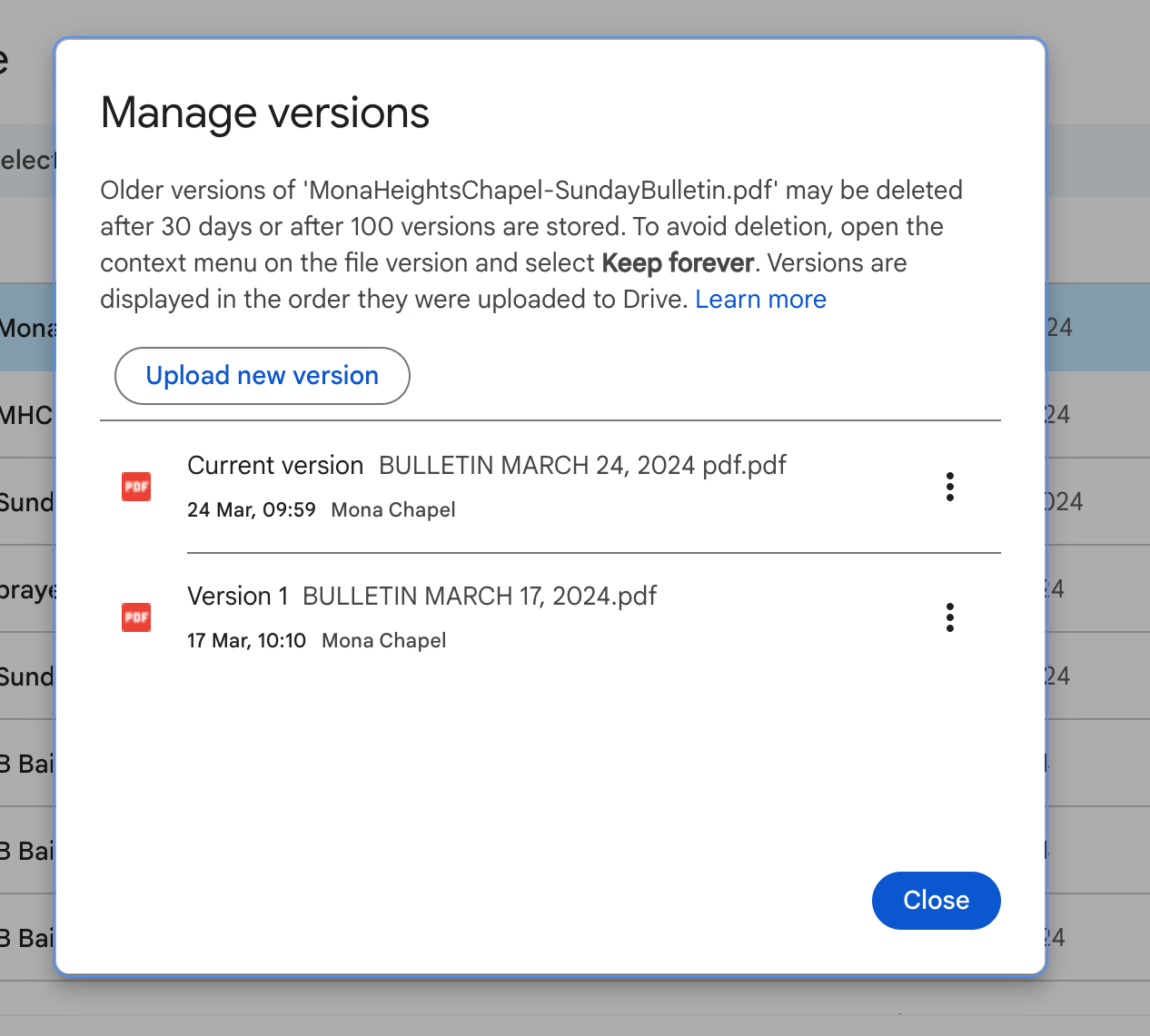
These steps ensure that the latest version of the bulletin is associated with the QR code.
IMPORTANT! The procedure is very specific and makes use of Google Drive’s versioning capabilities. It can only be done by the account that owns the file (in this case the tech@monachapel.org account). BEFORE you execute these steps, make sure you have downloaded the latest bulletin.
In Google Drive as the tech@monachapel.org user
-
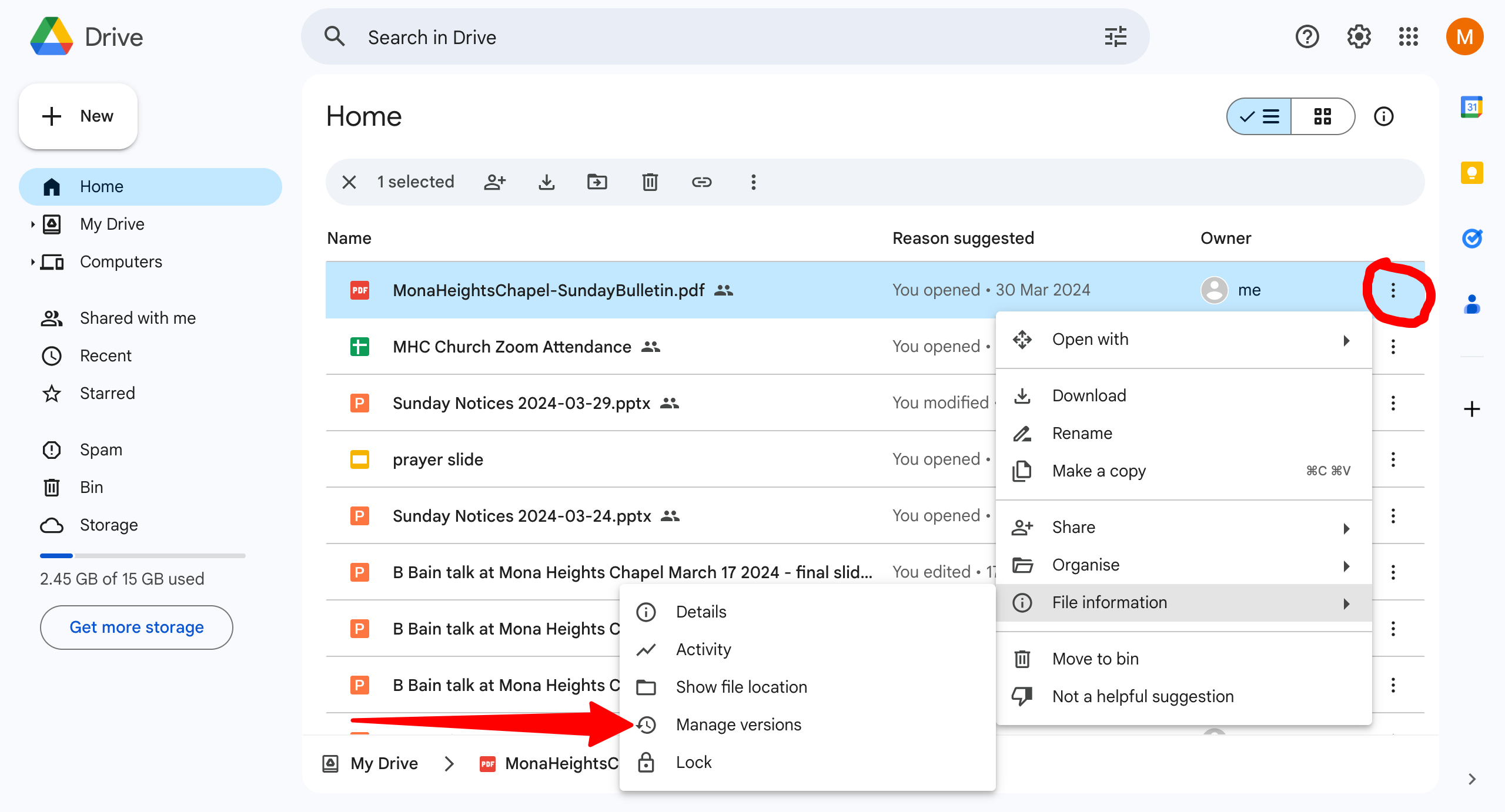
look for MonaHeightsChapel-SundayBulletin.pdf
-
Under the “more menu” go to “File Information” > “Manage Versions”
-
Click “Upload new version” and upload the latest bulletin